The CPU.. The Processor…

A lot of times people get wooed by funny stuff like. Its an i5!!! Its a Quad Core!!! Its 2.5GHz. Not really knowing what is going on behind the fancy words and marketing scams and the chip itself. Today I go into detail concerning this most essential part of the computer… The brain of the computer.

Image

So first.. What is the CPU??

This is the Central Processing Unit. It is the place where all the instructions, commands, calculations are processed to give you results. Or rather to give you an illusion that the computer is the most genius of machines in the world(Pssst.. Its not. It is as damn as a brick, and it is our work as programmers to convince you that is is as genius as you think it is, trust me.. It is hard, ever tried telling someone something but they are fixed to their opinion or the are dumb as a brick?? Yes… That’s it).

programmer_reailty_of_life

So, with that in mind. There are a lot of aspects that make a CPU efficient in what it does, or in layman’s terms… Fast. Because in the end that is the bottom line.. Right??? From that point, I will start by explaining this aspects.

1. Number of Cores

What is a CPU core?? A core is a “working area” in a CPU for lack of a better explanation. A core can handle a one instruction thread per clock/at a time. But note we are talking microseconds here. Not minutes.

But with HyperThreadingTM  from intel core processors, they use intelligent CPU time allocation to handle two threads on one core making it look like two cores. But do not quote me on that. So they kinda, replicate cores.

A core i3 is basically a dual core(2 cores) with HyperThreading.. So 2 real cores and 2 virtual cores. So it appears like a Quad Core

A core i5 is just a native Quad Core(4 cores) with NO HyperThreading. So 4 real cores.

A core i7 is a Quad Core with HyperThreading. So 4 real cores, 4 virtual cores.

Second-Generation-Intel-Core-Processors-KitGuru_01

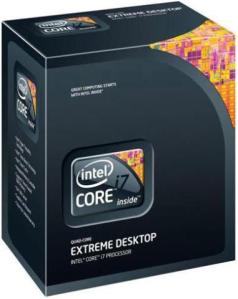
A core i7 Extreme is a Six core, yes.. Six with HyperThreading. But they say next gen Extreme will have 8 cores… 8 FRAPPING COOORES!!!! That means 16 FRAPPING CORES for apps that utilize them. Boot time will be like opening a calculator app on windows. I imagine the trouble you will go through to launch set up during boot up. This is insaaaane!!!

boot58e3c7a9_vbattach136227

AMD have their stuff too. So, I start with the APU. This is a CPU with the graphics card on the same chip. These are the A-Series line.

A4 is a Dual core, A6 are a mixture of 2, 3 and 4 cores, A8 and A10 are quad cores. The amount of features increases as you go up the ladder.

They also have the FX line which is their more premium line of chips. They have the FX-8150, 8350, 9350, 9590 etc. These are 8 core CPUs that i cannot go into detail about because I do not have the information. All I know is, get an FX-8350, get a reeeal good overclock on it and trust me, you will never let that chip go!!!

AMD-PileDriver-Eight-Core-FX-8350-4-0GHz-AM3-Processor-14466622-7

With all that said, cores are important, but is more better??

Weeell, it all depends on your use for the computer. If you are handling everyday tasks, no gaming or video editing,  then you are good with 2 or an i3.

If  you are a gamer and you do every day work, go online, 4 is enough. Well at least for now. AMD say MANTLE is going to make it possible for games to utilize more cores. As of now, there is no game that uses more than 4 cores. They all just use 2-4 cores. But really, with current gen consoles running at 8 cores, it is really best to go the 8 core way. There in lies another issue. Games DO NOT USE HyperThreading. So they just use the 4 cores in an i7 or the 2 cores in an i3. So performance benefit in games of an i7over an i5… Veery minimal!!! The difference kicks in if you run games and other programs concurrently. The i7 really starts to make a difference then.

If you use photoshop and video editing software and such, then more is better!! The more your budget can get you the better.

2.CPU clock speed

The CPU Clock Speed refers to the amount of data a CPU core can process in a second. Like if it is a 2.0GHZ CPU, each core of the CPU can handle 2GB of data in a second. Quick, right???

speed

This bit is a bit self explanatory, but I have to refer to some myth. That more cores need less speed. As a first hand victim of this, I say this is not true. Well to some extent it is, but that theory leans more towards the false than true side.  Why?? Each core handles its own tasks at whatever it is. So in a game, using 2 cores no matter what, you would rather have a 2.5GHz Dualcore CPU than a 2.0GHz Quadcore, you get??

Also, more is better in terms of speed. But the technology incorporated in the CPU makes a lot of difference. So, generations also matter. Be sure not to get an age old CPU coz its faster than a new one, you will regret it.

3. Cache

As we all know, the CPU is faster than the RAM. What happens is, when a program is running, its “kernel” is transferred to the RAM where it resides for the whole of execution period. Now The CPU is so fast that the RAM cannot keep up. Now the need for higher speed memory arises, the cache. The RAM sends instructions to the cache since the CPU fetch time for the RAM is much higher. It fetches the instructions for the cache. With time, there has arisen a need for much faster caches due to much faster CPU speeds. This has cause different levels of cache to come up. L1, L2 and L3, L1 being the fastest. Their sizes are mostly in MB since they only store instruction sets.

Also, cache speeds matter, faster is obviously better. But all this is catered for in you buy a newer CPU.

4. Power Consumption

This is mostly determined by the lithography of the CPU. A 22nm CPU will consume less power than a 32nm CPU. But is best to check the TDP of the CPU before you get it. If you pay your own bills, you don’t want a huuuge bill coz your computer consumes so much power. I wanna go on about the power, but I will cover that at a later date, along with GPU power consumption.

5. Socket

A socket is the place in the motherboard where you place your CPU.

This is relevant to people assembling their own PCs, you do not want to but a motherboard and a CPU, only to try place the CPU and realize it is too big/small. Each CPU has a given number if pins in the intel side. That is what intel use to name their sockets. E.g. An LGA 1150 socket has 1150 pins.

???????????????????????????????????????????????????????????????

Intel change the number of pins all the time. So they are more brutal if you do not take care. AMD are more forgiving. The have a more standard socket.

6. Overclockability(If that is a word, if it is not, Patent Pending)

OverClocking(OC) is the process of playing around with the CPU voltages, dividers and multipliers(Don’t mind the jargon, I will do an article on Overclocking) to achieve an overall higher clockspeed. Now, not all CPUs can do it. If the CPU is intel, it has to have a K or X variable at the end. Like the Intel Core i7-4770 is not overclock able, but the Intel Core i7-4770K is. Most AMD CPUs are overclockable, so nothing to worry about there. But with overclock comes the need to cool. I do it, and trust me. Things get tooooasty!!!

heat

Other Factors and conclusion

Those are the most major factors to look at when getting a CPU in my opinion. There is a lot more like the amount of RAM it can support, the amount of PCI expansion it can handle.. A lot, but if you make a good choice using the factors above, then the rest will fall into place.

So, picking a CPU can be tricky, but I hope I helped a tard bit, if you need any more advice, tweet me on the widget on the side.

Well, that’s it for today, wish you a nice time till next time, I must go.

adventure-cat-meme_thumb

GuyTech, signing out!!

PC Gaming Machines in a nutshell..

Today I will talk about what you need to make a good gaming PC, some tips and point about the basics of a DIY PC. Where to spill cash and where to save it. Basically, this is a beginners guide to a great gaming PC.

Image

INTRODUCTION

Basically, a lot of people out there do not know the true power of PC, All they know is the typical work station and the laptop which everyone carries around. Before I begin, I have to talk about what it takes for a computer to run a great demanding game and give you an enjoyable gaming experience.

So first you need a powerful processor, when it comes to gaming, cores are not really an issue, 4 is enough for an optimal experience. By 4 cores i mean an Intel Core i5 of an AMD Quad core. If you are on a budget, I would advice the later, since they are much cheaper, and with a good overclock, they can give you almost as good performance. An i3 is good, it will do, but gaming does not use hyper threading, and considering the current trend(Consoles going 8 core and introduction of MANTLE), i would highly recommend not to go less than a quad core. As for speeds, 2.5GHz is good enough, note I said good enough.

Image                            Image

Next, you need graphics. There are 2 companies that create GPUs, AMD and NVIDIA. I used create coz its the closest I could get I cannot ay manufacture because all they do is manufacture the chip and make a reference design. From this, other tech companies(like ASUS, Gigabyte, MSI, EVGA, XFX, Galaxy, HIS etc) tweak the chip and add their own cooler, Overclock it then sell it. These are the aftermarket designs. They run much faster, cooler and overclock better than reference designs.

Image

The reference Nvidia GeForce GTX 680

Image

The same card, but with an ASUS design. This is called the ASUS DirectCUII Cooler.

There are a few things you need to know about a graphics card.

1. Dedicated memory – For most triple A title games, 2GB is enough on a 1080p full HD monitor, but as you increase resolution, you may need more memory.

2. Core clock – Core clock is like processor speed in a GPU, 850MHz is good enough for triple A titles. This is not really an issue if you buy a good card, because you can easily overclock it,

3. Memory clock – This is the clock speed of the dedicated memory. The faster it is, the better the frame rate, i.e.  the faster the card will ‘render’ images on your screen. 1.5GHz is good enough.

4. Memory Bandwidth – This is the speed at which memory can be accessed. The faster, it is, the better the frame rate.

5. Memory interface – This is the amount of data a GPU is able to communicate to the RAM with each clock cycle. Common cycles are 128bit, 256bit and more recently, 512bit. Again, the higher, the better the frame rate.

6. Number of core(CUDA for NVIDIA and Stream Processors for AMD) – The more, the better!! They normally come in numbers above 800 for the good cards.

7. Finally, It is probably in your interest if you pay your own electricity bills to look out for the TDP(Thermal Design Power), This is basically the amount of power that the card uses to run. That is on you to decide.

All that said, Do you go out the market and look for the one with the highest everything?? The answer is partly No, partly Yes. While the theory more is better seems to be very functional, it is not always true in this case. The card engineering plays a big roll in the card’s performance. It is best really to do your research on the card you wanna get based on benchmarks, reviews and your own purpose for the card. All this GPU pish posh will be discussed in another article, so do not worry about that.

Final word on the GPU, it is the most important part of the gaming rig, do If you are gonna spill cash, do it there. Again, if you are on a budget, AMD offers some somewhat new option called the APU. It is a basically a CPU, with well, “killer” on board graphics which seem to be doing quite well on benchmarks.. I will post a GPU guide very soon as I have realized writing this.

You also need RAM, with the current trend, 8GB is quite enough for gaming. The speed really does not make a difference on the experience. There have be no notable FPS differences over different RAM speeds, but memory latency is something to look out for.

Yes, I said don’t spend a tonne on RAM, but please do not spend $10(Figure of speech), get RAM from a trusted company.

ripjaw platinims

You are also going to need a good motherboard and power supply. If you are going to overclock your components(CPU, GPU and in some cases RAM), then you need a motherboard that can handle the overvolting and not burn out the circuits and a PSU(Power Supply Unit, God, I realized I have to do this every single time I introduce a new acronym coz of newbs, no offence newbs)  that can deliver enough power to the components. For most cases, 650W will do.

While speaking about PSUs, you may want a power efficient PSU to avoid excessive unnecessary power consumption. This can be known using the 80 PLUS certification standard of PSUs. Comes in 6 levels. 80+, 80+ Bronze, 80+ Silver, 80+ Gold, 80+ Platinum, 80+ Titanium(Uncommon). All these are separated by their energy efficiency at different loads, but in brief summary.

80+: – Up to 80% energy efficient. This basically means that only 20% energy is wasted during running.

80+ Bronze: Up to 85% efficiency.

80+ Silver: Up to 89% efficiency.

80+ Gold: Up to 92% efficiency.

80+ Platinum: Up to 94% efficiency.

80+ Titanium: Up to 96% efficiency.

Then, if you are gonna overclock, you are gonna need cooling. Stock cooling just can’t handle the heat sorry to say. Most enthusiasts use water cooling… Yes, for those of you hearing this for the first time like you live under a rock, water cooling. Complete with radiators, reservoirs, cooling blocks, a pump to push the water and pipes to carry around the liquid. You assemble the loop yourself and fill the liquid yourself.

.900d-10Large  Maingear-Epic-Force-7

cool

Those are just some examples. Those that are new to the game, use pre-filled coolers or just air coolers which you attach to the CPU socket.

h320 h320 airbe in action

Now these can handle overclocking temperatures. Coz they are optimized for that. Some folks even use liquid nitrogen for extreme overclocking competitions.. The achieve insane speeds of up to 8.4GHz .

oc

Anyway, back to the real topic. To be able to handle this, it is best to get a PC case that can hold all this comfortably. That may also come in handy. Those are self explanatory from the pictures above.

You also need a good screen to do all this. Now I wanna start by saying this is all a matter of choice. My personal stand, I prefer a 23″ if its 1080p, if I will get 1440p, it will be 27″. I am personally not a fan of huge screens for gaming. You loose a lot of detail since a larger screen has a  lower pixel density. But all in all, as I said is a matter of preference. But one thing remains constant. DO NOT GO LESS THAN 1080P!!! This is another area I would advice a chunk of your budget to go.

The rest of the parts, Keyboard, mouse and sound… Its best to get gaming grade stuff. I will cover that in a later article.

vulcan widow zeus

Now all that said, all this stuff can range from $400 to a point of diminishing returns which in my opinion starts at around $2500. And you will still kick console ass at that $400. You could even get pre-built PC’s online, like Comparaboo would be a great place to check out the best rated gaming PC’s based on an update every 30 minutes. They have some great budget PC’s.

Finally, I hope you enjoyed the jargon in the article. Hope you learnt something. If any of you need clarification on anything, if you have any questions, if you have any disagreements, corrections, I am open to them in the comments below. Also follow me on twitter in the sidebar on the right for more information.

Wow, I have talked too much. Time for me to bounce, till next time, or if we meet on the streets, you do not know me. . See yah!!

Guy Tech signing out!!

Continue reading →

PC vs Console gaming.. PC any day, any time, any where…

INTRODUCTION

This is a debate which stirs up a lot of feelings, kinda like the iOS/android debate. Any misinformed person will jump on you and say. “Oh noooo, nothing can beat an xbox in graphics… Boo Hoo Hoo”…. Well no, you are wrong..

This particular quarter has been(And is still being, forgive the poor grammar on that statement) a real good time for gamers. We are in the middle of a full blown genocide GPU war between NVIDIA and AMD(Which I will talk about in my next article), we have seen so much innovation and additional tech both hardware and software that is just gonna make it all better for us gamers(MANTLE, ,Steam goodies, G-SYNC, 4K, DirectX 11.2 etc.), great video game titles coming up. And I mean great and exciting. Don’t worry console gamers, there is also a lot for you. PlayStation 4 and XBOX ONE coming up in the holidays. There are some exclusive titles that are pretty exciting and I will definitely be trying out.

Image

Personally, I am gonna be honest, I am looking forward to the controllers more than I am the consoles themselves. I especially wanna try out the XBOX controller that is gonna have impulse triggers. What this means is, the triggers will vibrate every time you are in action, like when you are burning rubber in a racing game or when braking. It also looks real good. It will be a worth investment once they are released.  Then word out is that the PS4 DualShock 4 will be PC compatible. It also has some cool features, but I doubt they will be available for PC.

Image

My personal preference, the xbox controller. Plus, look at how sexy it is!!

BUSINESS OF THE DAY

Now, i have kinda deviated from the topic, but now.. Of to the comparison. We are talking:

Image

vs

Image

vs

Image

So, starting off.. This is not an XBOX ONE vs PS4 battle!! Keep that in mind as you read on.

By now, you may have already noted that I am PC all the way. So Imma just begin

1. Graphics

XBOX ONE and PS4 are both running AMD GPU’s with the PS4 one having a slight upper hand, So we will get basically almost the same graphics on both consoles. Both sharing the 8GB System RAM for graphics and processes.

Stacking up against the PC, We are talking comparison with an AMD Radeon HD 7870. For those who find that jargon, that is basically a mid-high end GPU. Now, If you are a PC Hardware enthusiast, you already know that the console is boned. In my opinion, I don’t even think they can stack up to the 7870 even on a good day.

Image

Those of y’all that dunno what that is, it’s he ASUS Direct CUII Radeon HD 7870. Its a beast graphics card. I am pretty sure no on-board graphics can pull off what it(or its NVIDIA GerForce GTX 660Ti direct rival) can pull off.

Add tat to the fact that the consoles only fun at 1080p, and PC can go even up to 4K.

The PC takes this one. Any day, any time.

2. CPU and Memory(RAM)

Both the XBOX ONE and PS4 are both pulling off AMD Jaguar 8 Core CPU clocked ate i guess 1.6GHz(Do not quote me on that). Pretty weak stacking up to even a desktop AMD A10-6800K APU. Add that to the fact that it cannot overclock, this won’t be very powerful.

Now I know some of you are like “But its an 8Core…”

Image

I do not know of a single game that uses  more than 8 cores. Though with the upcoming MANTLE Announcement in Hawaii by AMD earlier, this is subject to change. And even in that case, it is still clocked at 1.6gigz.. LOL!! Like a GS4..

Image

My guess, frame rates won’t be that good on creme titles. And even if the optimize them, it will be at the cost of graphics quality.

PC again kicks balls.

As for RAM, There is really not much to talk about, RAM is subject to choice on the PC.

3. Rest of the specs.

The rest of the the specs are really nothing to compare. Like space, which is relative to choice again on the PC. As for games, that is also hard to compare, because with the turn that xbox took on game sharing and stuff, it is starting to look like the are geared towards what steam has. Then again Steam have come up with some very cool announcements which I will talk about in another article.

For those that do not know, Steam is a PC online store for games and gaming software. It is basically balls to the wall awesome!! You install games to your PC Directly of the Internet. Unless you live under a rock, we do not use DVDs any more.

PS4, well they are giving what in my opinion is false hope with all these goodies. Its only a matter if time before they change to the current trend.

So, again in the gaming community and game sharing community, PC kicks ass.

As for issues like sitting on a couch playing games, I won’t even address that. xbox controllers work on PC, they have wireless keyboards and mice too. Check this..

ImageImageImage

Yeah, so that conversation.. Do not even bring it up.

PC can also do multiple monitors, It wins in all possible sectors.

4. Final Thoughts

If you are on a budget, You could assemble a good PC that will kick console butt, but is is not easy. I think of the cost thing as a well, what are you letting go off kind of thing.

So, PC wins.

If you have any arguments about this, I will be glad to thwart them in the comments if they are not legit. Also, if you have any queries, hit me up.

Follow me on twitter, the link is in the sidebar and in the about page.

Till next time,

See you!! Because I hate bye byes.

GuyTech signing out!!

First blog ever..

Been talking about starting a blog for like 50 years now, guess it is finally time. TBH, I have never blogged in my life.. I hope I will do good. This is a toast to finally welcome me to WordPress. Wanna test it out before I can get a premium account, so.. Toast to that. Will be posting my first blog tomorrow. It is gonna be good, so tune in. A lot is happening in my area of expertise this quarter!!

MuchembiTechGuy